Project
Popmind
App for the productivity and concentration
Client
- Case study
My Role
- UX/UI Designer
What I Did
- UX Design
- UI Design
- UX Research
Tools
- Figma
- Optimal Workshop
- Miro
- Notion
Briefing
In the digital age, distractions and multitasking severely impact productivity. PopMind is a mobile application designed to help users manage their time and stay focused through timers, gamification, and a supportive community.
Problem
In the digital era, our attention span has decreased from 12 to 8.5 seconds over the past 15 years, as highlighted in a study conducted by the eLearning Center of the Universitat Oberta de Catalunya (UOC) in collaboration with Accenture. The study also reveals that 70% of individuals aged 14 to 35 use their smartphones as the primary tool for reading digital content.
As a result, profiles such as students or professionals with flexible or remote schedules often struggle to concentrate and avoid multitasking.
Current productivity apps don’t combines the essencial features to avoid the digital distractions and the loss motivation.
Goals
✅ Personalized time and task management: users can set up sessions tailored to their own pace, combining Pomodoro timers with customizable task lists.
✅ Distraction control: the app allows users to block external notifications during focus sessions.
✅ Seamless integration: sync with Google Calendar to centralize all organization without leaving the app.
✅ Gamification and community: motivation is encouraged through rewards and the possibility to join groups of users with similar goals, creating a supportive environment.
✅ User-centered experience: the design follows the UCD (User-Centered Design) methodology, ensuring every feature addresses real needs identified through user research.
Roadmap
01 - DISCOVERY
- Benchmarking
- User research
02 - DEFINE
- User personas
- Customer journey
- User flow
03 - IDEATION
- Sketches
- Wireframes
- Prototype
04 - EVALUATION
- User testing
Benchmarking
As a starting point, I conducted a detailed analysis of several applications dedicated to productivity and time management.
I analyzed their functionalities, strengths and weaknesses, identifying what they do well and where they fail. The objective was clear: to discover how we could design a different and more effective experience, which would really help users to concentrate, without losing sight of motivation and well-being.
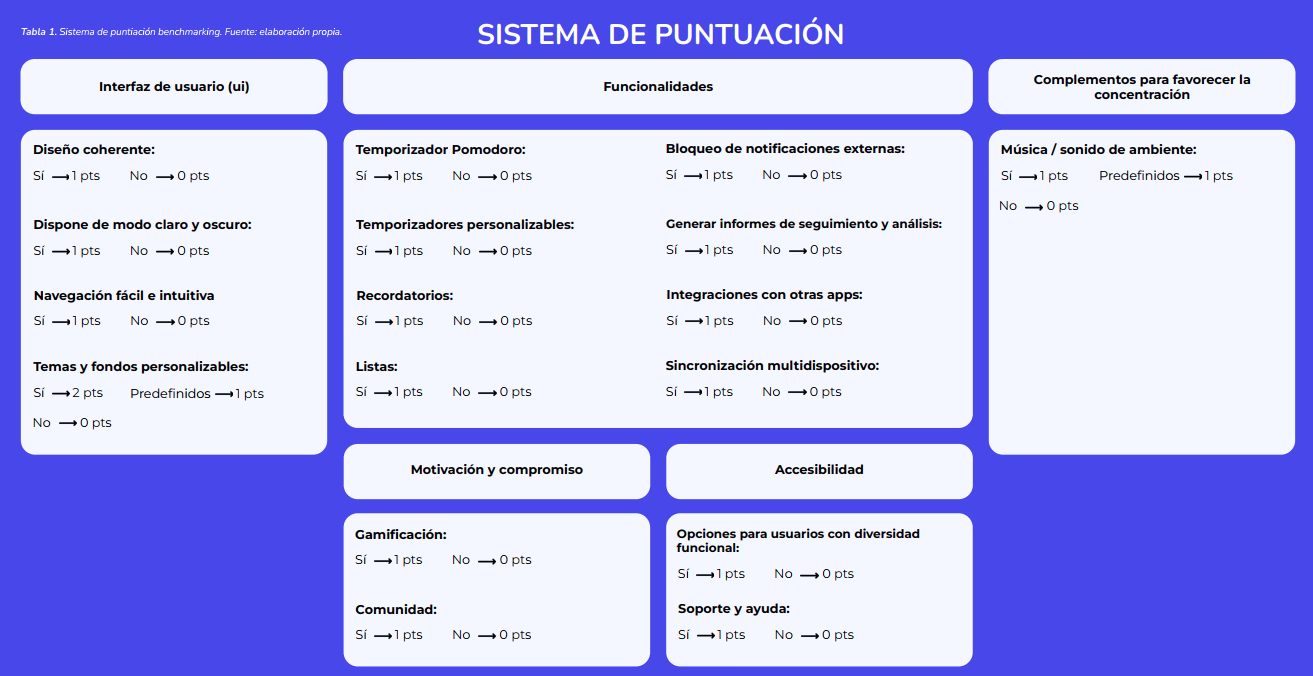
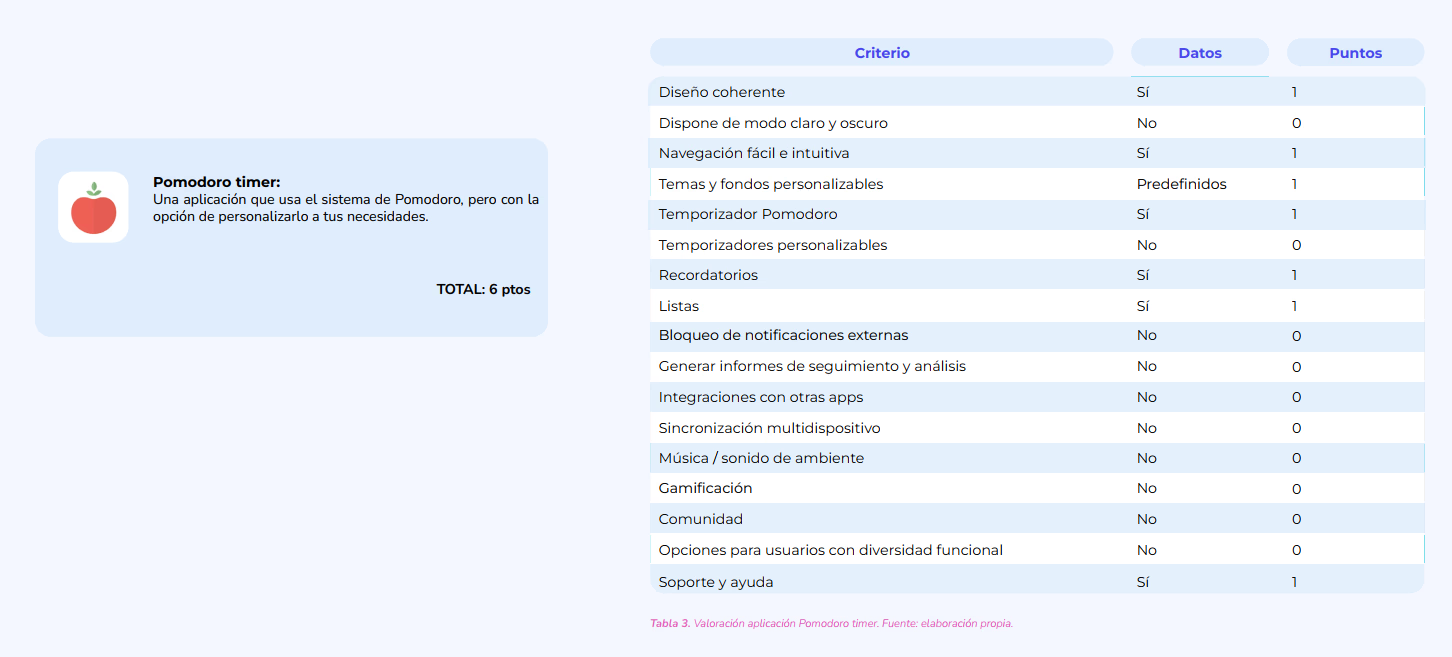
Using the above scoring system, some applications on the market are evaluated. In the following image you can see an example of one of them.
User Research
Through detailed user research, I identified the pain points and needs of our target audience. This involved surveys, interviews, and behavioral analysis to understand how users interact with productivity tools and what features would be most valuable.
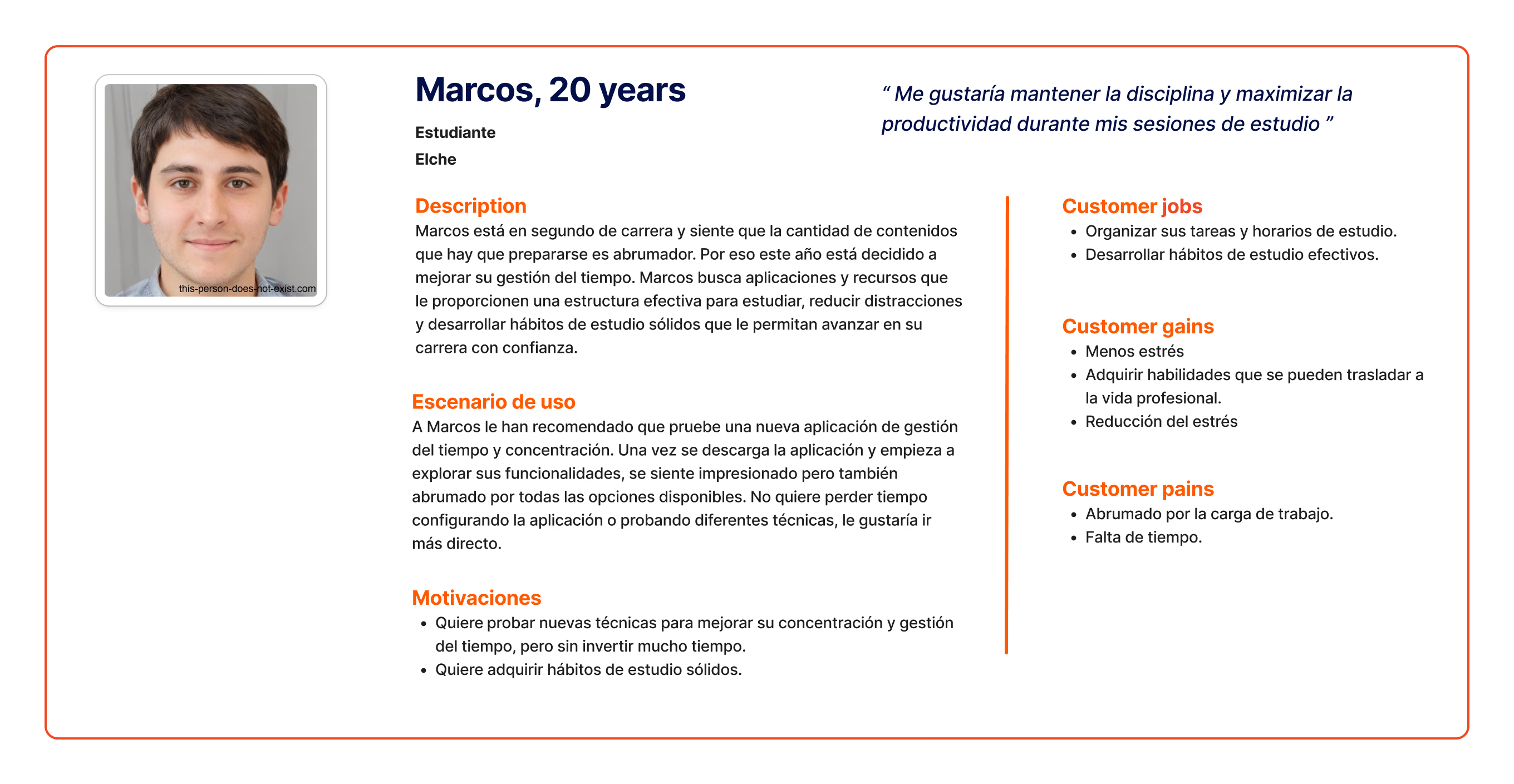
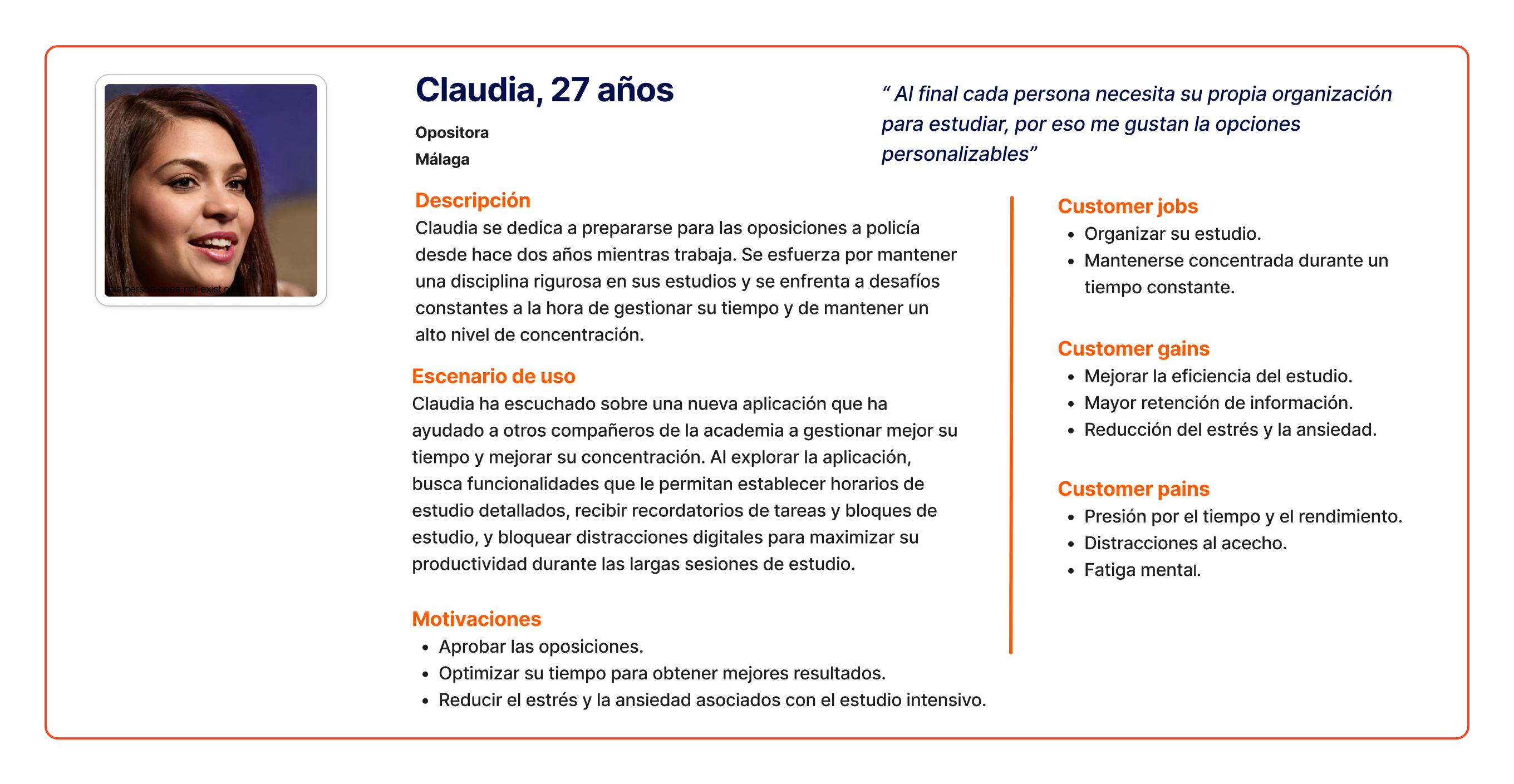
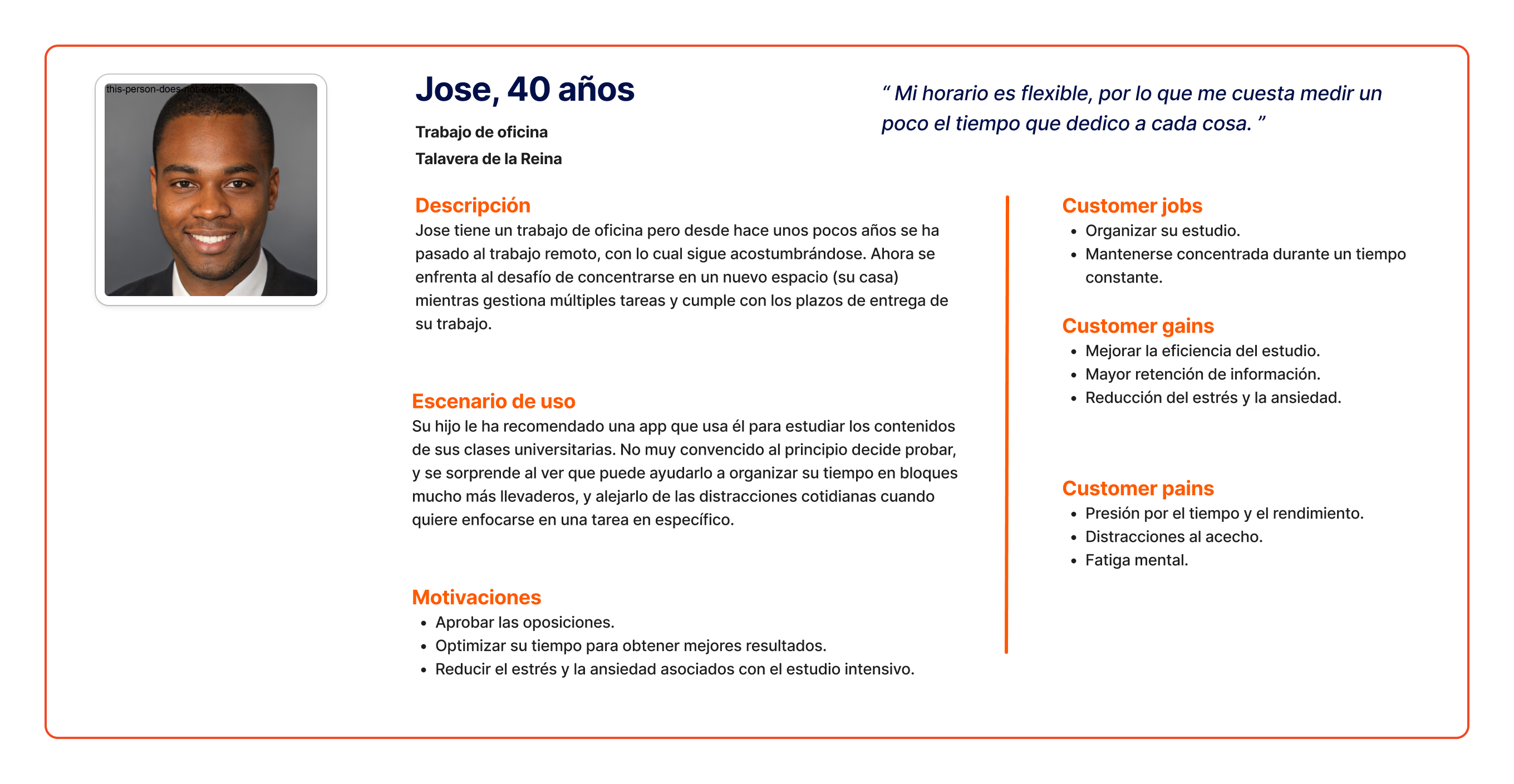
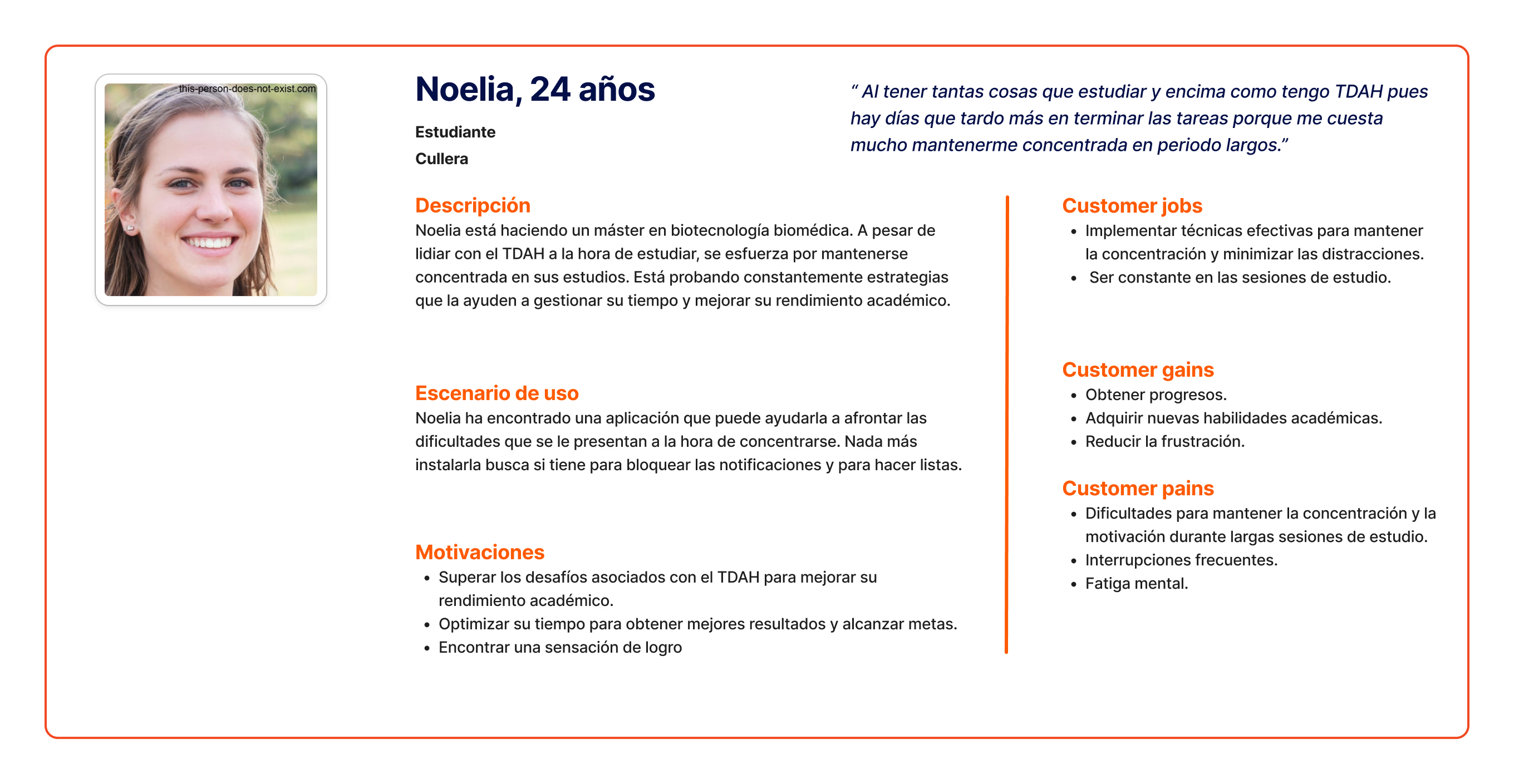
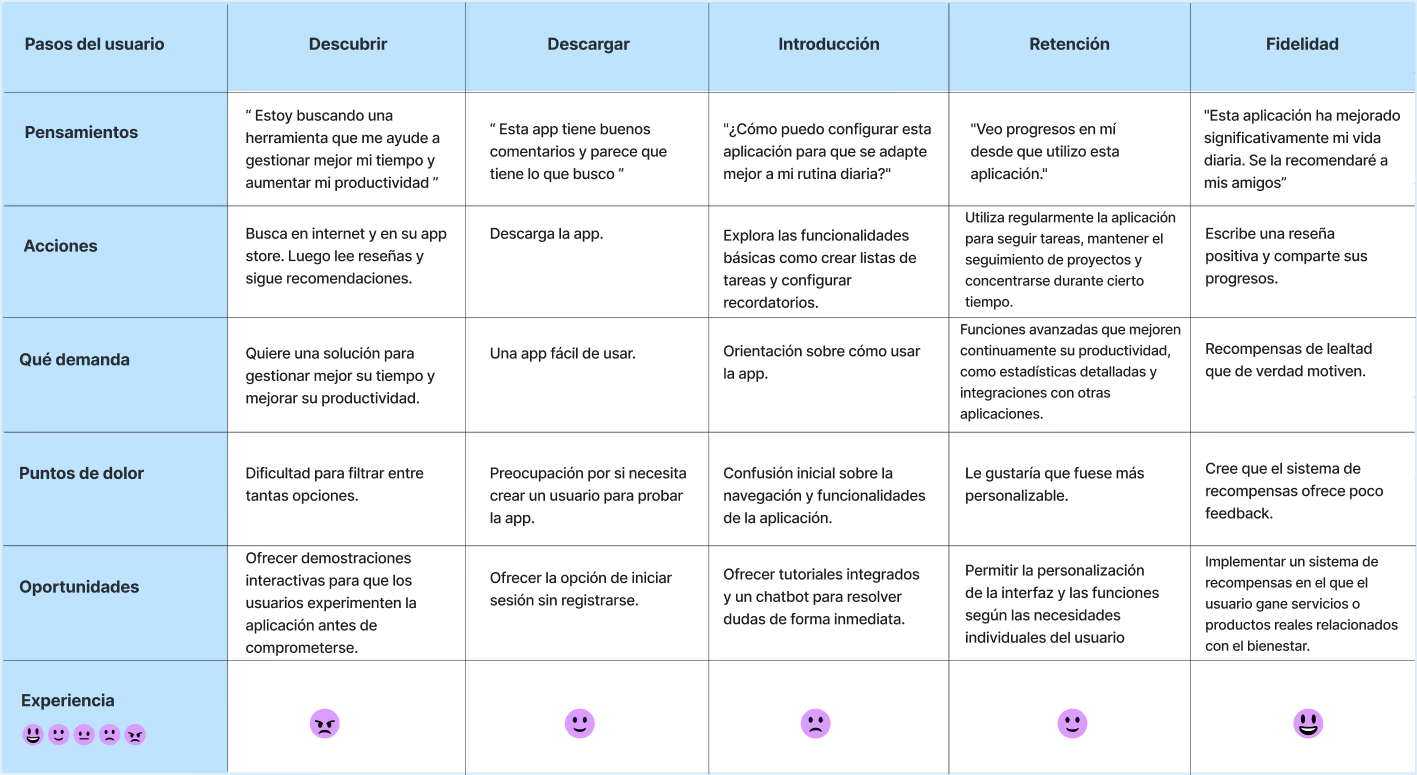
Customer Journey Map
To reflect the steps our archetypes follow when looking for a solution to their problem or need, a customer journey map has been created. This way, we will better understand the experience, needs and frustrations of our users.
User Flow
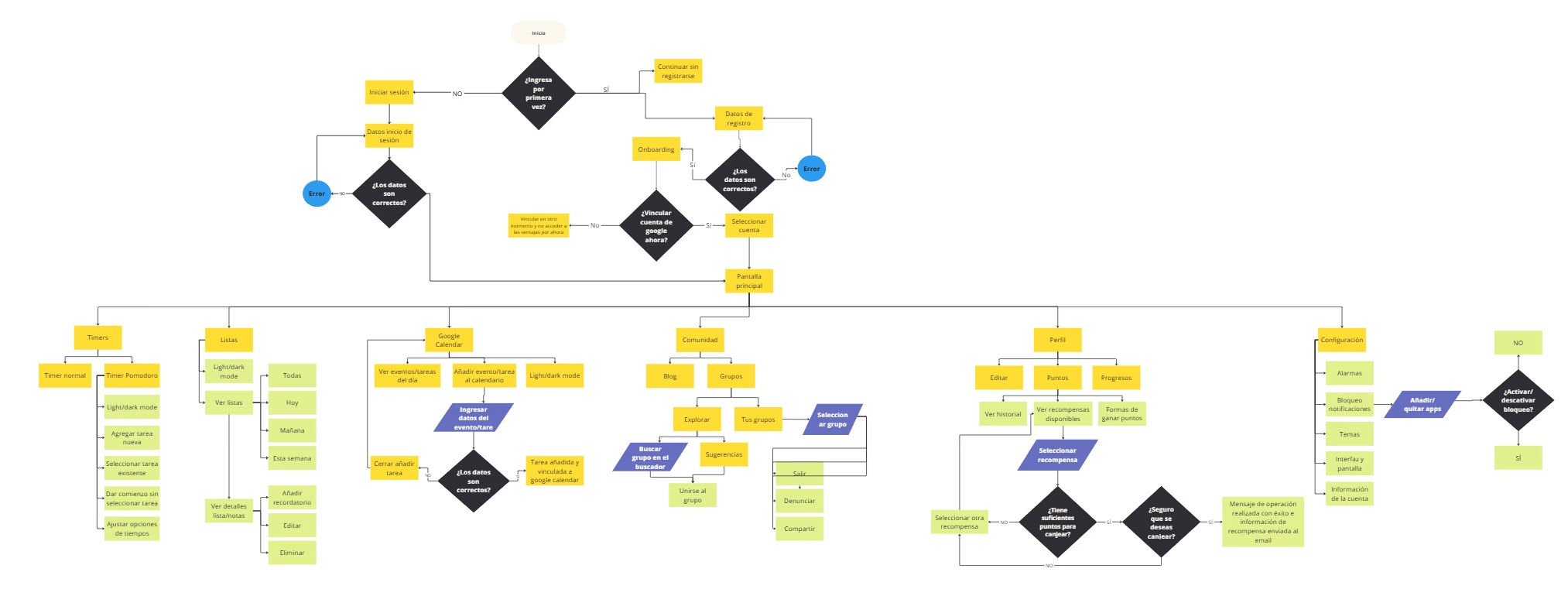
The user flow of PopMind has been designed to offer a smooth, intuitive experience, fully centered on the real needs of people looking to improve their focus and productivity. From the very first interaction with the app, every step is carefully crafted to guide users naturally, minimizing the learning curve while maximizing the value of the tool.
The journey starts with flexible access, allowing users to sign up, log in, or explore the app without creating an account. After this, a short onboarding introduces key features such as the Pomodoro timer, notification blocking, task lists, and Google Calendar integration.
Once inside, the home screen displays the day’s tasks in a clear and organized way, offering quick access to all essential tools. From there, users can create fully customizable focus sessions, combining time management techniques that fit their personal work style. During each session, PopMind blocks external distractions and provides continuous feedback to keep users aware of their progress.
At the end of each session, progress tracking and a reward system help users stay motivated, allowing them to see their improvements and redeem points for real-life benefits. Additionally, PopMind includes a community feature, where users can join study groups, share experiences, and take part in collective challenges to boost engagement.
In summary, PopMind blends simple navigation with personalized functionality, creating a seamless user flow that not only helps users focus but also encourages healthy and sustainable habits in the long run.
Wireframes
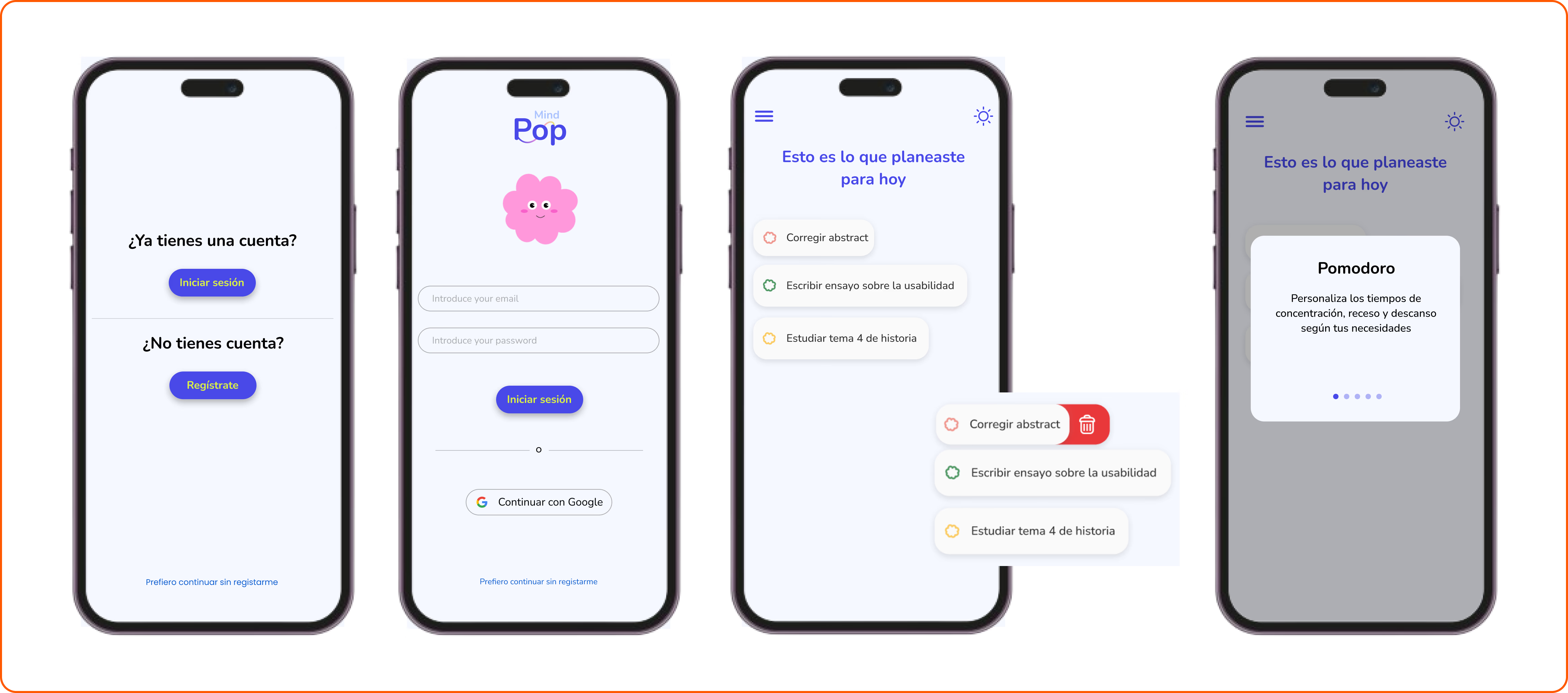
PopMind’s wireframes, showing the structure and layout of each key screen.
It starts with a login and sign-up screen, allowing users to either create an account, log in, or try the app without signing up. After that, the onboarding briefly introduces the app’s main features to first-time users.
The home screen displays the user’s daily tasks, with quick access to essential features. A hamburger menu organizes all tools, including timers, community, and rewards.
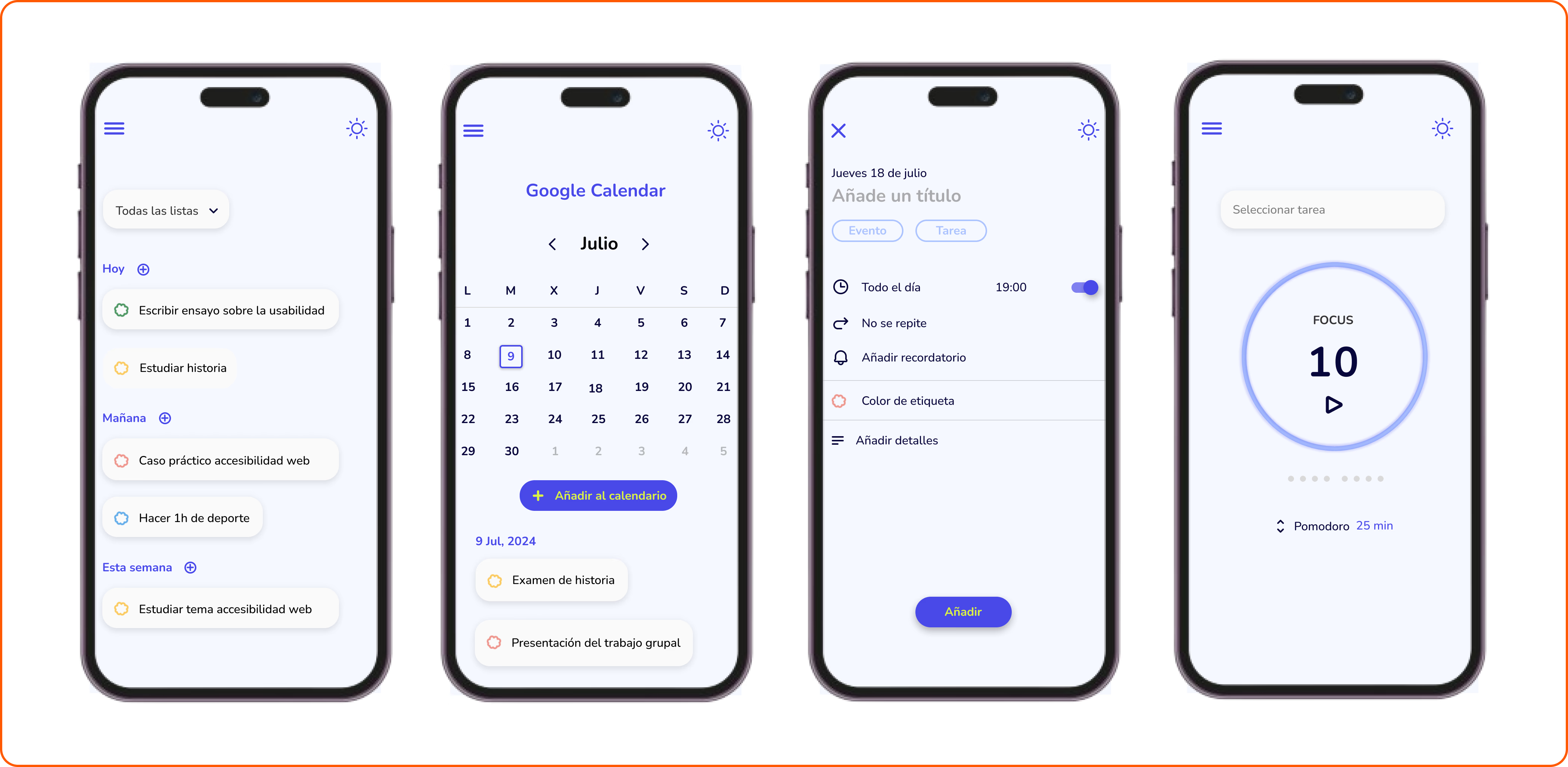
The Pomodoro timer screen includes a task selector and a clear visual indicator of the time left. Meanwhile, the PopTasks section allows users to create and manage task lists, organized by day.
In short, these wireframes define the functional and visual foundation of the app, ensuring a clean, intuitive, and user-centered experience.
Prototype
PopMind was created with a clear goal: to help students and professionals regain control of their focus, reducing digital distractions without giving up the digital tools they rely on every day. Throughout the design process, the focus was on creating a clean, friendly, and motivating interface that makes productivity feel simpler and more rewarding.
User research played a key role in understanding how digital distractions impact attention and which strategies work best to maintain focus. This user-centered approach guided every design decision, from personalized sessions to the rewards system. PopMind is designed to evolve based on user feedback, adapting to the changing needs of people looking for a healthier, more balanced way to work and study.
Onboarding
From the very first moment, PopMind adapts to each person’s style and needs. Users can either explore the app without signing up or create an account to unlock advanced features like Google Calendar sync and the rewards system.
The onboarding process introduces the main features (Pomodoro timer, notification blocking, task lists, and community) in a brief, visual way, making it easy to understand what the app offers and how to get started.
Main Screens
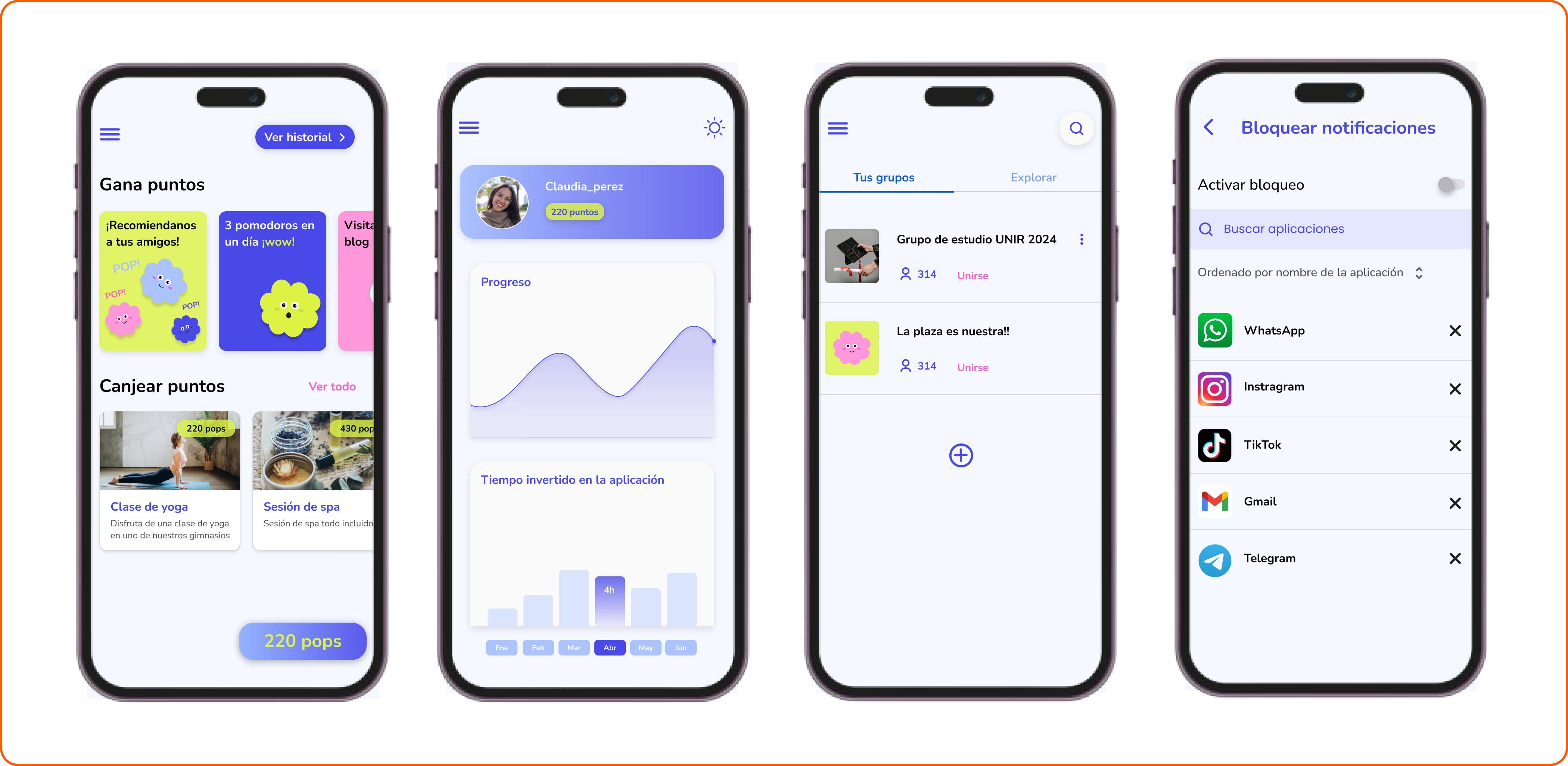
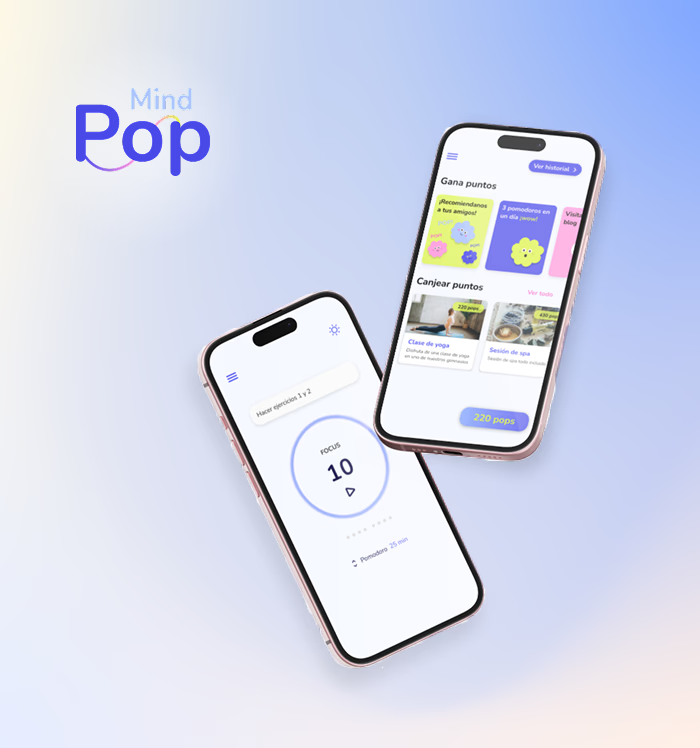
The main screens are designed to provide quick access to all essential tools. From the home screen displaying daily tasks, to the Pomodoro timer, and the task management features, each screen is optimized for ease of use and clarity.
Other Features
PopMind brings a playful twist to focus management. Every completed session, every organized list, and every interaction earns points that users can redeem for real-world wellness-related rewards, such as yoga classes or art therapy products.
Additionally, the community feature allows users to join study or productivity groups, encouraging mutual support and creating a positive environment for achieving personal goals. All of this comes with the option to customize the app’s appearance, including themes and light/dark mode.